The community open-source daemon and related clients implement OpenVPN tunnels. Platform packages and clients are documented by the project.
THE IDEA, MAPPEDA configured client and server.
01
Authorized client
Credentials identify the authorized endpoint.
02
Encrypted connection
Protocol and configuration define the tunnel.
03
VPN server
Routes and access policy decide what is reachable.
Conceptual topology, not a deployment we tested. Follow the project documentation for supported configurations and operational requirements.
Client/server VPN software
Certificate-based remote access and configurable self-hosted networks.
Software cost and scope
No software license fee for the listed open-source edition. Hosting, bandwidth, hardware and administration are separate.
License: GPL-2.0 core; see project exceptions and component licenses. Community edition and its open-source components; commercial products have separate terms.
You administer the server, certificates, client configuration, routing and updates.
Protocol: OpenVPN.
SEE THE CONTROLS. FOLLOW THE STEPS.
Import and use a profile in OpenVPN GUI
Windows 10 / 11 · OpenVPN GUI · 8 steps
Use the Community GUI with an existing server profile. OpenVPN Connect and Access Server have different interfaces.
What you’ll do: Install Community GUI, import the right profile, authenticate, check access, and disconnect.
Documentation checked 2026-11-09. Source-based walkthrough; we have not deployed or tested this connection. Pictures are labelled by origin. Publisher screenshots can show older interfaces; use the linked current documentation when your version differs.
Version scope: OpenVPN GUI on Windows 10/11; exact GUI build in the publisher screenshots is not stated. This is not the OpenVPN Connect app.
Before you start
Install the official Community package with OpenVPN GUI.
Get your .ovpn profile, required certificates and credentials from the server operator.
Client
OpenVPN Community with OpenVPN GUI on Windows 10 or 11.
Profile
Your .ovpn file and any separate certificate/key files supplied with it.
Authentication
The VPN username/password, certificate or second factor your operator requires.
Use your own authorized account and configuration. Keep private keys, QR codes and sign-in codes out of shared pictures.
0 of 8 steps marked complete
Checkmarks help you follow the guide; they do not verify a connection. They reset when you reload.
STEP 01
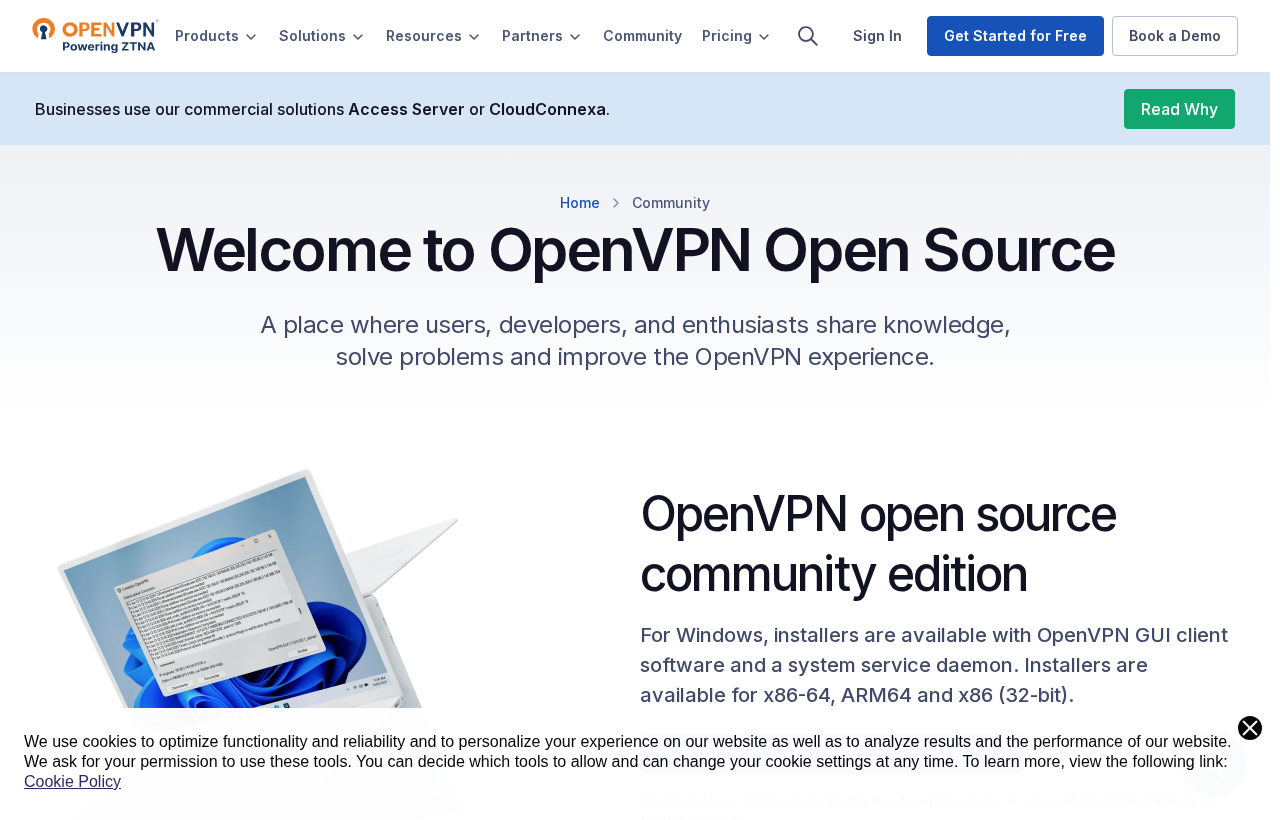
Install Community GUI for Windows
Use the Windows Community package for your computer.
Choose the correct Windows architecture on the official Community page.
Install OpenVPN GUI and open it; OpenVPN Connect is a separate app.
Verify the resource and route you intended to use. Keep the profile and any embedded credentials private when asking for help.
The correct profile is connected and its log has no unresolved authentication error.
The intended resource works over the expected route.
You have not weakened server-certificate verification.
You know the profile’s Disconnect action and automatic-connect setting.
If it does not work
For authentication or certificate failures, ask the operator to confirm the profile and credentials. Share a redacted log, not private keys or passwords.
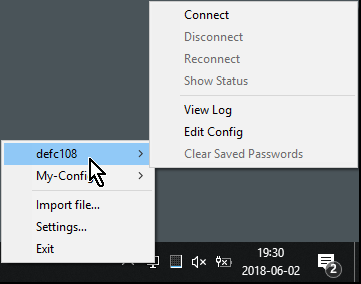
No profile in the tray menu
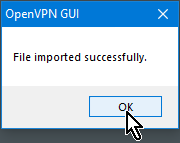
Check that the import completed and the file has the operator’s expected .ovpn profile. OpenVPN Connect uses a different interface.
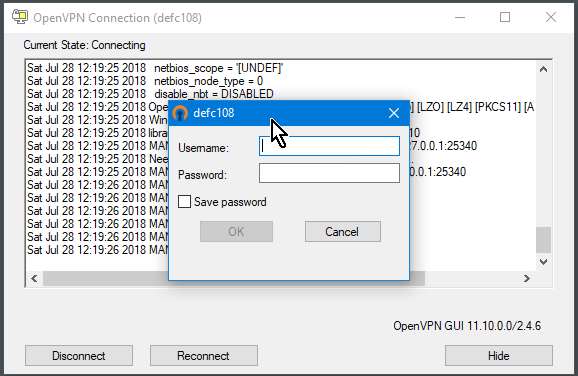
Authentication or certificate error
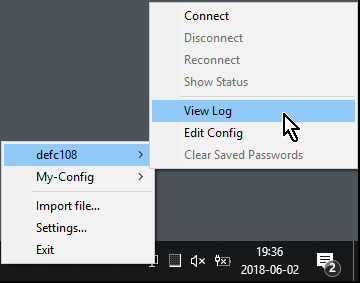
Read View Log, then confirm the credentials, certificate and device clock with the operator. Do not turn off certificate validation to make an error disappear.
Connected but resource unavailable
Check the route and destination authorization with the operator. Send only a redacted log; imported files can contain private keys.
Stop or roll back deliberately
Use Disconnect for the selected profile in the notification-area menu. Turn off any automatic connection you enabled for that profile if you need it to remain off; retain a protected original configuration before replacing it.
The server operator controls logging and configuration. OpenVPN Community is distinct from commercial Access Server and hosted products.
Your hosting arrangement, physical server location, account records and browser identity still matter. Plan credential management, updates, DNS, routing and connection-failure behavior before relying on a deployment.
Documentation reviewed 2026-11-06. Project documentation reviewed; no independent security testing performed by StealthVPN. Use the project’s current installation and security guidance; platform support and configuration choices can change.
 (opens in a new tab)
 (opens in a new tab)
 (opens in a new tab)
 (opens in a new tab)
 (opens in a new tab)
 (opens in a new tab)
 (opens in a new tab)