A modular IPsec implementation with IKEv2 support, certificate-based authentication and documented interoperability scenarios.
THE IDEA, MAPPEDIPsec with negotiated security.
01
IKE / IPsec endpoint
Credentials identify the authorized endpoint.
02
Encrypted connection
Protocol and configuration define the tunnel.
03
Remote endpoint
Routes and access policy decide what is reachable.
Conceptual topology, not a deployment we tested. Follow the project documentation for supported configurations and operational requirements.
IPsec / IKE VPN implementation
Standards-based remote access and site-to-site links for administrators.
Software cost and scope
No software license fee for the listed open-source edition. Hosting, bandwidth, hardware and administration are separate.
License: GPL-2.0; project also offers commercial licensing. Open-source implementation; app/platform components and commercial options need their own review.
You manage gateways, credentials, policies, supported algorithms and client compatibility.
Protocol: IKEv2 / IPsec.
SEE THE CONTROLS. FOLLOW THE STEPS.
Create and use an Android IKEv2 profile
Android · strongSwan VPN Client · 7 steps
This is the Android client workflow, not a swanctl server configuration tutorial.
What you’ll do: Create an Android IKEv2 profile, confirm identity, connect, check access, and stop deliberately.
Documentation checked 2026-11-09. Source-based walkthrough; we have not deployed or tested this connection. Pictures are labelled by origin. Publisher screenshots can show older interfaces; use the linked current documentation when your version differs.
Version scope: strongSwan VPN Client on Android; exact Android and app builds in the publisher screenshots are not stated.
Before you start
Install the client from the project’s linked official distribution options.
Obtain the server name, authentication method, credentials and required certificate information.
Gateway
The server hostname and expected server identity.
Authentication
The IKEv2 method and credentials or client certificate specified by the operator.
Trust
The CA/certificate information or a trusted .sswan profile.
Use your own authorized account and configuration. Keep private keys, QR codes and sign-in codes out of shared pictures.
0 of 7 steps marked complete
Checkmarks help you follow the guide; they do not verify a connection. They reset when you reload.
STEP 01
Install the client and collect the settings
Use a distribution linked by the strongSwan project.
Install strongSwan VPN Client for Android.
Ask for the gateway, VPN type, credentials and certificate instructions.
What you should see
You have the required settings or a trusted .sswan import.
Consider leaving the password unsaved: the project’s listing states that passwords saved with profiles are stored as cleartext in the app database.
The intended profile establishes a connection without unresolved certificate warnings.
The target resource and intended DNS work.
You know whether Android is configured to block traffic without the VPN.
You can disconnect and describe the resulting blocked or ordinary-network behavior.
If it does not work
If server identity or certificate verification fails, confirm the expected certificate and server identity with the operator. Do not treat an arbitrary imported CA as proof of trust.
Authentication fails
Match the VPN type and identity fields to the operator’s instructions; an account login is not always the IKE identity.
Certificate is rejected
Confirm the gateway name and trusted CA with the operator. Do not accept an unfamiliar certificate to clear the error.
VPN symbol appears but resource fails
Check whether that resource is included in the profile’s routes and your account’s access. Inspect the client log without sharing keys or passwords.
Stop or roll back deliberately
Use Disconnect for the connection. If Android always-on or block-without-VPN was enabled, review it deliberately in Android VPN settings: stopping the tunnel may intentionally leave traffic blocked. Turning that protection off permits ordinary network traffic.
Use the documented modern configuration path for your platform. This is an administrator’s VPN stack rather than a consumer exit-server subscription.
Your hosting arrangement, physical server location, account records and browser identity still matter. Plan credential management, updates, DNS, routing and connection-failure behavior before relying on a deployment.
Documentation reviewed 2026-11-06. Project documentation reviewed; no independent security testing performed by StealthVPN. Use the project’s current installation and security guidance; platform support and configuration choices can change.
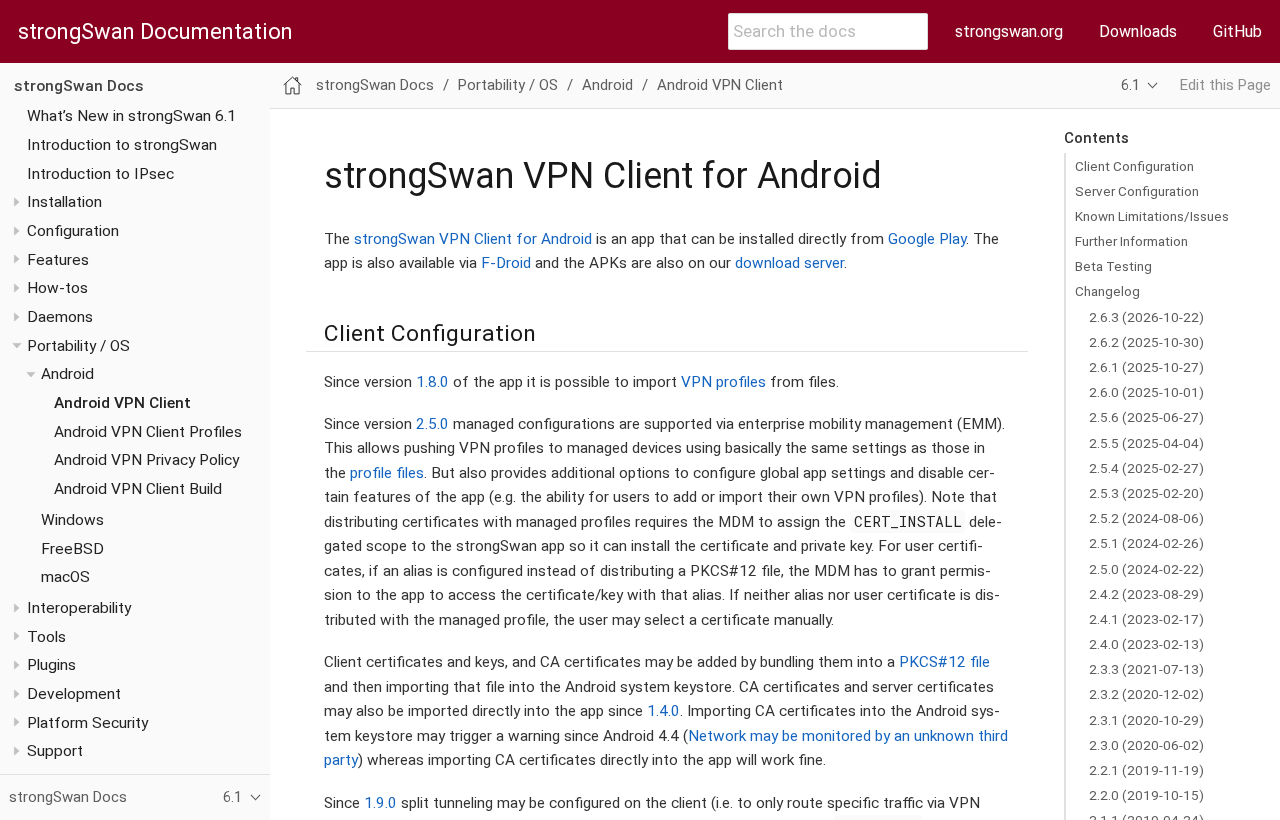 (opens in a new tab)
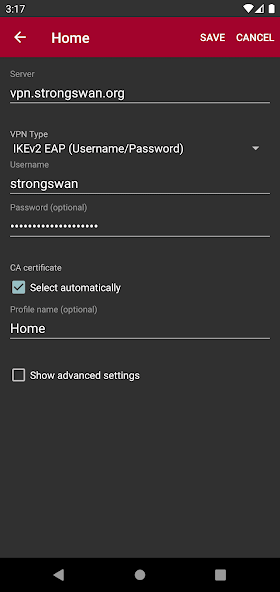 (opens in a new tab)
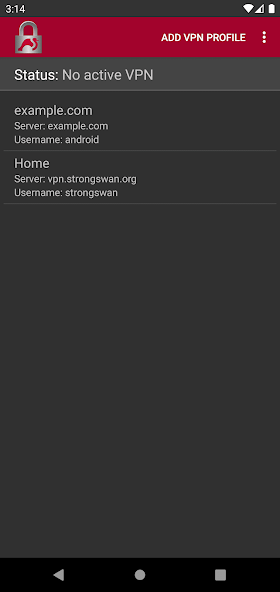 (opens in a new tab)
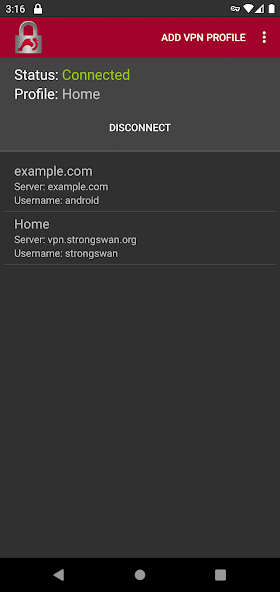 (opens in a new tab)